

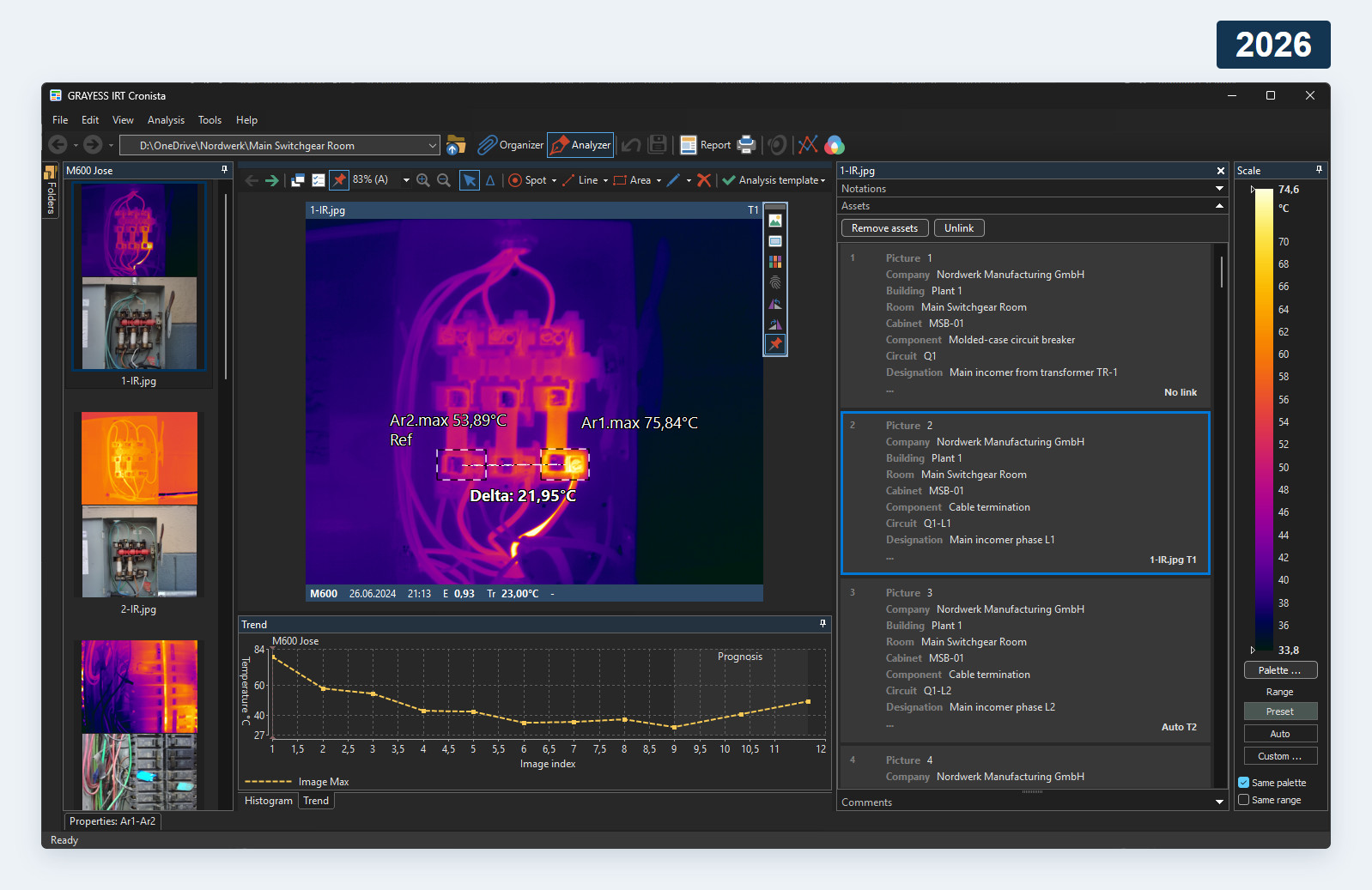
For IRT Cronista 3.x and 4.x users, upgrading is an opportunity to reduce the repeated work around each inspection. Reusable analysis setups, structured equipment information and more flexible reports help when you need to apply the same method across many images or repeated visits.
Cronista 2026 connects image organization, thermal analysis and editable Microsoft Word reports with greater control over measurements and presentation. Broader camera support and improvements to report generation also make it worth reviewing an older installation, especially if your equipment, reporting requirements or inspection workload have changed.
New functionality in IRT Cronista 2026
- Assets import: bring structured equipment data into inspections instead of entering the same details repeatedly.
- Grouped report summaries: group table rows by matching values in a selected column.
- Improved temperature delta: use minimum, maximum or average values when comparing temperatures.
- Custom object labels: choose object names, displayed properties and bold text to emphasize relevant measurements.
- Custom isotherm colors: set colors for individual images, including two-color isotherms.
- Custom profile scales: set chart limits to suit the analysis you want to present.
- Clearer image display: use full-resolution visual details and bicubic upscaling.
- Broader camera support: work with additional formats and improved linking between thermal and visual images.
- Improved reporting: benefit from changes to generation speed, reliability and compatibility with report templates.
Earlier improvements included in the upgrade
Cronista 2026 also includes these improvements introduced with Cronista 2024, compared with version 4.0. The differences from your installation depend on its version and edition.
- Dark interface: choose a dark theme for the workspace.
- Analysis templates: reuse an image analysis setup across other images.
- Smarter report templates: store analysis settings and notations together.
- Copy and paste objects: reuse measurement objects across images.
- Parameter Sets: save and reuse measurement settings and object defaults.
- Group temperature scales: adjust temperature ranges and palettes for selected images.
- Length and area measurements: evaluate physical dimensions when suitable lens data is available.
- Area statistics: evaluate standard deviation and calculate isotherm area.
- Custom palette colors: adapt palette colors to the inspection.
- Consistent thermal colors: use the same Custom temperature range and palette when comparing images.
- Faster image search: find images by typing text.
- In-place notation editing: update notations in Analyzer mode and Word reports.
- Reports across folders: include thermal images from subfolders.
- Improved stitching: stitch linked visual images and use GPS data.
Shared display settings support consistent visual comparisons; measurement parameters and inspection conditions still need to be appropriate for each image.
Choose the edition for your workflow
Feature availability depends on the edition as well as the version.
- Standard includes multi-page Word reports and core thermal analysis. It supports up to 10 hot/cold spots, 10 lines and 10 areas per image.
- Professional and Ultimate add analysis templates, assets import, report summary tables, isotherm area, area statistics and physical dimensions. They also include histograms, trends, multi-image analysis and unlimited hot/cold spots, lines and areas.
- Ultimate adds image stitching, image stacks, resolution enhancement, contrast enhancement and radiometric TIFF export for drone mapping.
Review the edition comparison , camera compatibility and current system requirements before ordering. Reporting requires desktop Microsoft Word for Windows. Check the current workflow with representative images and customized report templates.
The Cronista revision history provides build-level details. For help checking your setup, contact GRAYESS support .
IRT Cronista upgrade pricing
| License support status | Upgrade price |
|---|---|
| Within the support period | 25% of the full new-license price |
| Outside the support period | 50% of the full new-license price |
These percentages are the amount payable for the upgrade, not the percentage discount.
How to request your upgrade
Use the IRT Cronista order page to request an upgrade. There is no dedicated upgrade option: include your existing license key and upgrade request in the comments section.